URI Redirect
The Redirect button is only visible if you select a URI from the batch list in the URIs tab. This is used to manually convert an existing URI into a redirect.
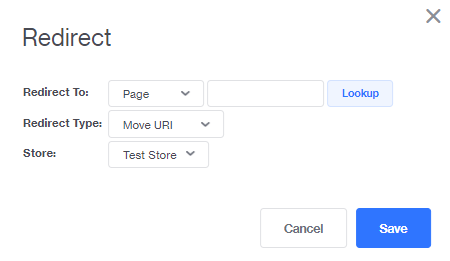
Redirect To :
- Screens : See pseudopages here .
- Page : Generate URLs for any page in your online store that has a corresponding page in the admin interface, except for category and product pages.
- Category : Generate URLs for all category pages in your online store.
- Products : Generate URLs for all product pages in your online store.
Redirect Type :
- Move URI : This option is like an edit. The htaccess file is not changed and the SEO “weighting” of the URI is not lost. Essentially you are just editing an existing URI.
- 30X Redirect : The URI that the customer enters remains the same, but you can change the page that loads.
Store : The store where you are creating the URIs.
When finished, click Save .